How to show discount codes on your Shopify store
Shopify lets you create discount codes, but it does not list them for shoppers on your store. People who do not have the code often leave to search for one. CouponShow puts your chosen codes in a small box that stays one click away on every page.
Show a code in four steps
Section titled “Show a code in four steps”- Install CouponShow and turn on the app embed.
- Create your discount in Shopify under Discounts.
- In CouponShow, go to Promotions, click Create promotion and pick the code.
- Write the title shoppers will see and click Save.
Shoppers can now click the icon, open the box and copy the code.
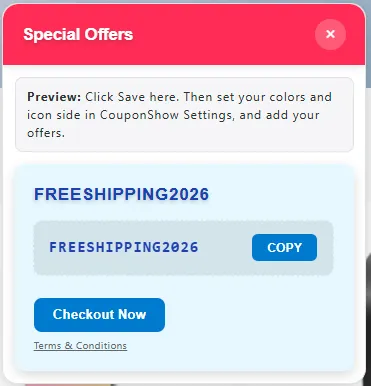
Choose which codes to show
Section titled “Choose which codes to show”You choose every code by hand. CouponShow never shows a discount just because it exists in Shopify, so private staff or partner codes stay out of the box.
Show the box automatically
Section titled “Show the box automatically”The box normally opens when a shopper clicks the icon. To open it on page load, go to Settings, then Animation and behavior, and turn on Automatically open coupon box listing.
Related guides
Section titled “Related guides”Still stuck? Email [email protected] with your store address and a link to the page.
CouponShow by EcomRolodex LTDHomePricingPrivacy policy