How to install CouponShow on Shopify
CouponShow adds a small icon to your store. When a shopper clicks it, a box opens with your current discount codes and offers. Setup takes about five minutes and needs no code.
Set up the app
Section titled “Set up the app”- Open CouponShow on the Shopify App Store and click Install.
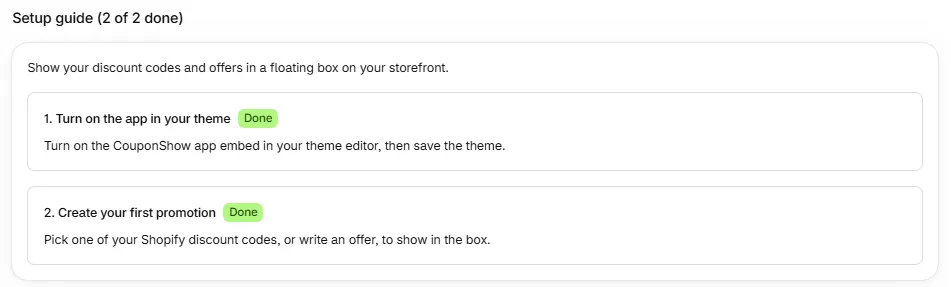
- Approve the install in Shopify. The app opens on Home with a Setup guide.
- Under 1. Turn on the app in your theme, click Activate app. Your theme editor opens in a new tab.
- Check that CouponShow is switched on, then click Save in the theme editor.
- Go back to CouponShow and click Check again. The step changes to Done.
- Under 2. Create your first promotion, click Create promotion and follow this guide.
Check it on your store
Section titled “Check it on your store”Open your store in a private browser window. If your promotion is active, you will see the icon in the bottom corner. Click it to open the box.
The icon only appears when at least one promotion can show on that page. If you do not see it, go through why the coupon box is not showing.
If you change themes
Section titled “If you change themes”The app embed is saved per theme. When you publish a new theme, turn the app embed on again in that theme.
Still stuck? Email [email protected] with your store address and a link to the page.
CouponShow by EcomRolodex LTDHomePricingPrivacy policy